Get USDC on Base
CYRUS is purchased with USDC on the Base network. You also need a small amount of ETH on Base to pay for transaction fees.
USDC exists on many blockchains. If you withdraw USDC on Ethereum instead of Base, it will not work. The exchange will ask which network to use - always choose Base.
The Short Version
Buy USDC on an exchange
Coinbase, Binance, Kraken, and most others carry USDC.
Find your wallet address
Open Rabby, tap Receive, and copy your address.
Withdraw USDC to that address - choose Base as the network
In the exchange’s withdrawal flow, paste your address and select Base as the network - not Ethereum.
Buy a small amount of ETH on the same exchange
You need ETH on Base to pay for transaction fees (called “gas”). Around $2–5 worth is plenty.
Withdraw that ETH to your wallet - again, select Base as the network
Same process as the USDC withdrawal: paste your wallet address and choose Base.
Continue to Buy CYRUS
Once your USDC and ETH are both in your wallet on Base, head to Buy CYRUS.
Finding Your Wallet Address
Your wallet address is what you give the exchange to send funds to your wallet.
In Rabby:
- Tap your wallet account
- Tap Receive
- Make sure Base is selected as the network
- Copy the address shown
In Base (formerly Coinbase Wallet):
- Tap Receive
- Select Base as the network
- Copy the address shown
Always double-check that the network shown on the receive screen is Base, not Ethereum or another chain. The address itself may look the same, but assets sent to the wrong network will not appear in the app.
Recommended: Coinbase App
For US users, the Coinbase exchange app is usually the cleanest path because it directly supports Base withdrawals for both USDC and ETH. This is separate from your Rabby wallet.
Buy USDC in the Coinbase app
Tap Send / Withdraw
Paste your wallet address from Rabby
When Coinbase asks for the network, choose Base
Confirm the withdrawal
Now buy about $5 worth of ETH inside Coinbase
You need ETH to pay for transaction fees on Base. This is separate from your USDC.
Withdraw that ETH to your wallet - choose Base as the network
Same steps as the USDC withdrawal: paste your wallet address and select Base.
This is the most direct path - Coinbase natively supports Base, so there is less room for network mistakes.
Why do I need ETH? Every transaction on Base costs a tiny fee called “gas,” paid in ETH. Without ETH in your wallet, you cannot send, approve, or buy anything - even if you have plenty of USDC. $2–5 of ETH is enough for hundreds of transactions.
Binance
Binance is available in most countries outside the US.
- Buy USDC on Binance (Spot trading or direct purchase)
- Go to Wallet → Withdraw
- Select USDC as the asset
- Paste your wallet address
- Choose Base as the network
- Confirm the withdrawal
- Go back and buy about $5 worth of ETH on Binance
- Withdraw that ETH to the same wallet address - choose Base as the network again
Binance lists many networks for USDC. Scroll past Ethereum, Arbitrum, Polygon, etc. and find Base. If you pick the wrong one your funds land on the wrong chain.
Why do I need ETH? Every transaction on Base costs a tiny fee called “gas,” paid in ETH. Without ETH in your wallet, you cannot send, approve, or buy anything - even if you have plenty of USDC. $2–5 of ETH is enough for hundreds of transactions.
Revolut
Revolut is popular outside the US, but it does not send USDC or ETH directly to Base.
If you are outside the US, the simplest path is the MoonPay section: buy USDC on Base and about $5 of ETH on Base directly. If you are in the US, use the Coinbase section instead.
Revolut sends USDC and ETH on Ethereum, not Base. Do not look for Base in Revolut or guess another network.
If you already use Revolut and still want to continue, the safe path has extra steps:
- Open Revolut and go to Crypto
- Buy USDC
- Tap Send on your USDC balance
- Choose External wallet
- Paste your Rabby wallet address
- Select Ethereum as the network
- Confirm the USDC transfer
- Go back to Crypto and buy about $5 worth of ETH
- Tap Send on your ETH balance
- Choose External wallet, paste the same wallet address, and select Ethereum
- Open Stargate Finance or Across Protocol in Rabby’s DApp browser
- Connect Rabby
- Bridge USDC from Ethereum to Base
- Bridge ETH from Ethereum to Base
- Wait for both assets to appear in Rabby on the Base network
Bridging usually takes a few minutes and costs Ethereum gas. Do not continue until both USDC on Base and ETH on Base show in your wallet.
Other Exchanges
Kraken, OKX, Bybit, and KuCoin all follow the same pattern:
- Buy USDC
- Withdraw → select USDC → select Base as the network → paste your wallet address
- Buy about $5 worth of ETH
- Withdraw that ETH → select Base as the network → paste the same wallet address
If the exchange does not list Base as a withdrawal option for USDC, use a different exchange or contact their support. If it supports USDC on Base but does not list Base for ETH, buy ETH on Coinbase or another exchange that explicitly supports ETH withdrawals on Base. Do not guess.
Why do I need ETH? Every transaction on Base costs a tiny fee called “gas,” paid in ETH. Without ETH in your wallet, you cannot send, approve, or buy anything - even if you have plenty of USDC. $2–5 of ETH is enough for hundreds of transactions.
Outside the US or No Exchange Account? Buy USDC Directly
If you are outside the US and do not have Coinbase access - or if you prefer not to sign up for an exchange - you can buy USDC directly on your phone using MoonPay .
MoonPay handles identity verification itself. Open the link in your wallet’s built-in browser, select USDC, choose Base as the network, and pay with a debit card or bank transfer.
You also need ETH on Base for gas. After buying USDC, make a second MoonPay purchase for about $5 worth of ETH, and choose Base as the network for that ETH purchase too.
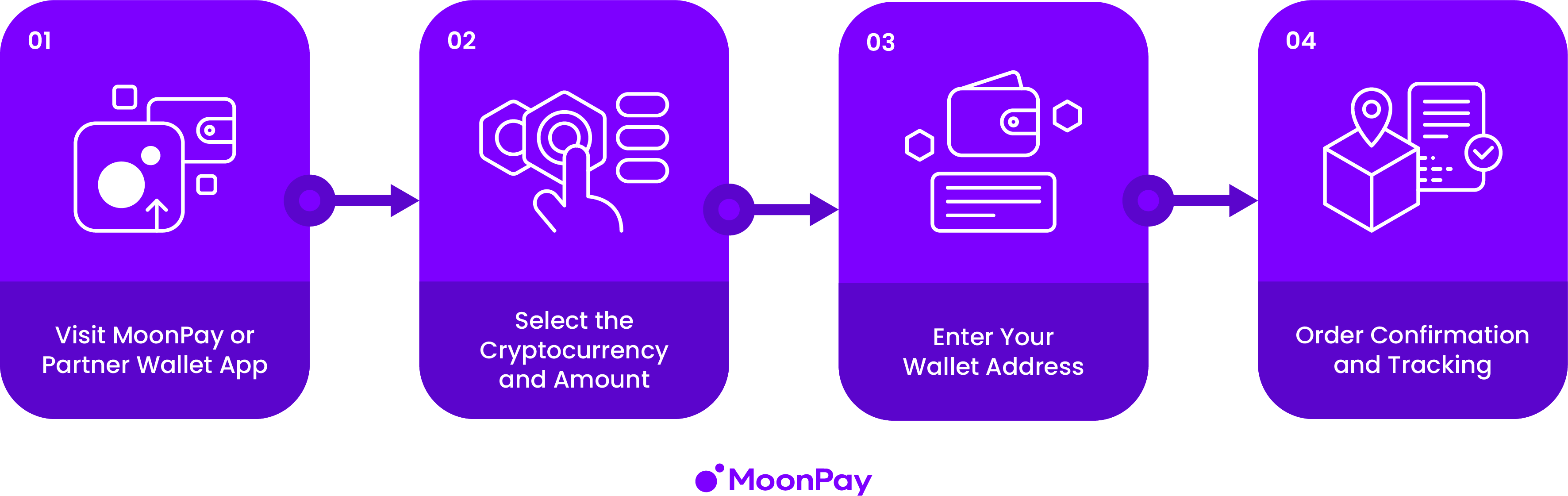
MoonPay charges a small fee - typically 1–4.5% depending on your country and payment method. For US users, Coinbase is usually the cleaner path. For non-US users, smaller purchases, or one-time purchases, MoonPay is often the simplest option.
Common Mistakes
| Mistake | What goes wrong |
|---|---|
| Withdrawing USDC on Ethereum instead of Base | Funds land on the wrong chain - the app cannot use them |
| Copying the wrong wallet address | Funds go to the wrong wallet and cannot be recovered |
| Skipping the ETH for gas | Every transaction fails with a gas error |
| Sending a large amount without testing first | If anything is wrong, all of it is stuck |