Get USDC on Base
CYRUS is purchased with USDC on the Base network. You also need a small amount of ETH on Base to pay for transaction fees.
USDC exists on many blockchains. If you buy USDC on an exchange but withdraw it to the Ethereum network instead of Base, it will not work in the app. Always select Base as the withdrawal network.
The Short Version
Buy USDC on any major exchange
Coinbase, Binance, Kraken, OKX, and most others all carry USDC.
Withdraw USDC to your wallet - select Base as the network
This is the step where most mistakes happen. When the exchange asks which network to withdraw on, choose Base, not Ethereum.
Buy a small amount of ETH on the same exchange
You need ETH on Base to pay for transaction fees (called “gas”). Around $2–5 worth is plenty.
Withdraw that ETH to your wallet - again, select Base as the network
Same process as the USDC withdrawal: paste your wallet address and choose Base.
Continue to Buy CYRUS
Once your USDC and ETH are both in your wallet on Base, head to Buy CYRUS.
Recommended: Coinbase
Coinbase is the cleanest path for US users because it directly supports Base as a withdrawal network for both USDC and ETH.
Create a Coinbase account if you do not have one
Buy USDC inside Coinbase
Open the withdrawal or send flow
Paste your wallet address (copy it from your Rabby extension)
When Coinbase asks for the network, choose Base
Do not pick Ethereum just because it is listed first. Double-check the final screen shows USDC on Base before confirming.
Send a small test amount first if you are uncertain
Now buy about $5 worth of ETH inside Coinbase
You need ETH to pay for transaction fees on Base. This is separate from your USDC.
Withdraw that ETH to your wallet - choose Base as the network
Same steps as the USDC withdrawal: paste your wallet address and select Base.
Why do I need ETH? Every transaction on Base costs a tiny fee called “gas,” paid in ETH. Without ETH in your wallet, you cannot send, approve, or buy anything - even if you have plenty of USDC. $2–5 of ETH is enough for hundreds of transactions.
Binance
Binance is available in most countries outside the US.
- Buy USDC on Binance (Spot trading or direct purchase)
- Go to Wallet → Withdraw
- Select USDC as the asset
- Paste your wallet address
- Choose Base as the network
- Confirm the withdrawal
- Go back and buy about $5 worth of ETH on Binance
- Withdraw that ETH to the same wallet address - choose Base as the network again
Binance lists many networks for USDC. Scroll past Ethereum, Arbitrum, Polygon, etc. and find Base. If you pick the wrong one your funds land on the wrong chain.
Why do I need ETH? Every transaction on Base costs a tiny fee called “gas,” paid in ETH. Without ETH in your wallet, you cannot send, approve, or buy anything - even if you have plenty of USDC. $2–5 of ETH is enough for hundreds of transactions.
Revolut
Revolut is popular outside the US, but it does not send USDC or ETH directly to Base.
If you are outside the US, the simplest path is the MoonPay section: buy USDC on Base and about $5 of ETH on Base directly. If you are in the US, use the Coinbase section instead.
Revolut sends USDC and ETH on Ethereum, not Base. Do not look for Base in Revolut or guess another network.
If you already use Revolut and still want to continue, the safe path has extra steps:
- Open Revolut and go to Crypto
- Buy USDC
- Tap Send on your USDC balance
- Choose External wallet
- Paste your Rabby wallet address
- Select Ethereum as the network
- Confirm the USDC transfer
- Go back to Crypto and buy about $5 worth of ETH
- Tap Send on your ETH balance
- Choose External wallet, paste the same wallet address, and select Ethereum
- Open Stargate Finance or Across Protocol in your browser
- Connect Rabby
- Bridge USDC from Ethereum to Base
- Bridge ETH from Ethereum to Base
- Wait for both assets to appear in Rabby on the Base network
Bridging usually takes a few minutes and costs Ethereum gas. Do not continue until both USDC on Base and ETH on Base show in your wallet.
Other Exchanges
Kraken, OKX, Bybit, and KuCoin all follow the same pattern:
- Buy USDC
- Withdraw → select USDC → select Base as the network → paste your wallet address
- Buy about $5 worth of ETH
- Withdraw that ETH → select Base as the network → paste the same wallet address
If the exchange does not list Base as a withdrawal option for USDC, use a different exchange. If it supports USDC on Base but does not list Base for ETH, buy ETH on Coinbase or another exchange that explicitly supports ETH withdrawals on Base. Do not guess.
Why do I need ETH? Every transaction on Base costs a tiny fee called “gas,” paid in ETH. Without ETH in your wallet, you cannot send, approve, or buy anything - even if you have plenty of USDC. $2–5 of ETH is enough for hundreds of transactions.
Already Have USDC on Ethereum?
If you already hold USDC on Ethereum mainnet, use a cross-chain bridge to move it to Base. Two reliable options:
- Stargate Finance - well-established, supports USDC → Base directly
- Across Protocol - often the cheapest option, uses intent-based routing with very low fees
On either bridge: select USDC as the asset, Ethereum as the source chain, and Base as the destination. Your wallet address is the same on both chains.
Do not use the official Base Bridge (bridge.base.org) for this. Withdrawing back from Base to Ethereum later has a mandatory 7-day wait due to the Optimism challenge period. Stargate and Across are faster for most users and have no such restriction.
Outside the US or No Exchange Account? Buy USDC Directly
If you are outside the US and do not have Coinbase access - or if you simply prefer not to sign up for an exchange - you can buy USDC directly with a debit card or bank transfer using MoonPay .
MoonPay handles identity verification itself. You do not need a separate exchange account. Select USDC as the asset and choose Base as the network when prompted so the funds arrive on the right chain.
You also need ETH on Base for gas. After buying USDC, make a second MoonPay purchase for about $5 worth of ETH, and choose Base as the network for that ETH purchase too.
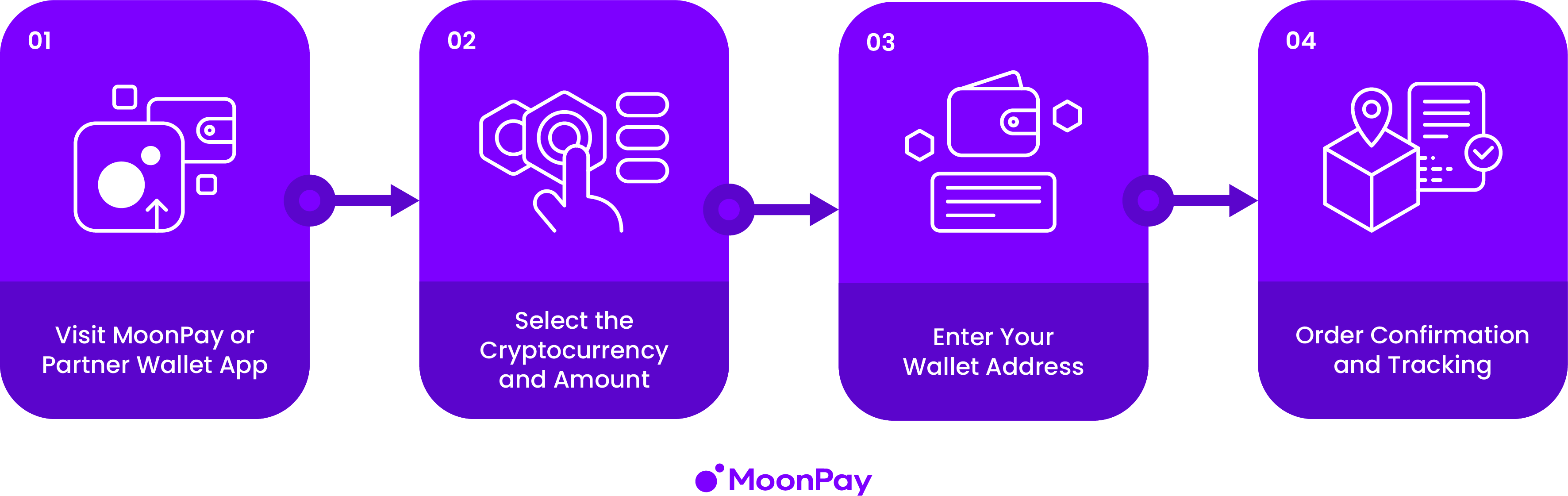
MoonPay charges a small fee - typically 1–4.5% depending on your country and payment method. For US users, Coinbase is usually the cleaner path. For non-US users, first purchases, or smaller amounts, MoonPay is often the simplest path.
Common Mistakes
| Mistake | What goes wrong |
|---|---|
| Withdrawing USDC on Ethereum instead of Base | Funds land on the wrong chain - the app cannot see them |
| Forgetting to get ETH for gas | Every transaction fails with a gas error |
| Bridging into USDT or DAI instead of USDC | Wrong stablecoin - the app only accepts USDC |
| Sending a large amount without a small test first | If something is wrong, all of it is on the wrong chain |